Master Photoshop Layer Styles: The Ultimate Design Bundle
Imagine transforming flat, lifeless text into a stunning 3D metallic logo in seconds, or turning a simple shape into a glowing neon sign without a single complex filter. This is the power of a comprehensive Photoshop Layer Styles Bundle, a collection designed not just for experts, but for anyone who wants professional results fast. Whether you're a small business owner crafting your brand identity, a content creator eye-catching social media graphics, or a designer juggling multiple projects, having a versatile toolkit of pre-made styles is a game-changer. It bypasses the steep learning curve of manual effects, delivering instant, high-quality visual impact that engages audiences and elevates your work from amateur to polished.
Unleashing Creative Potential Without the Complexity
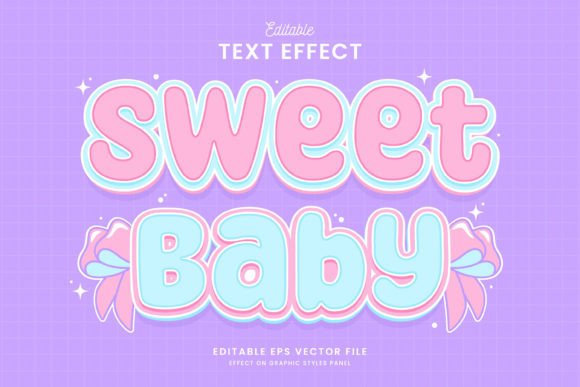
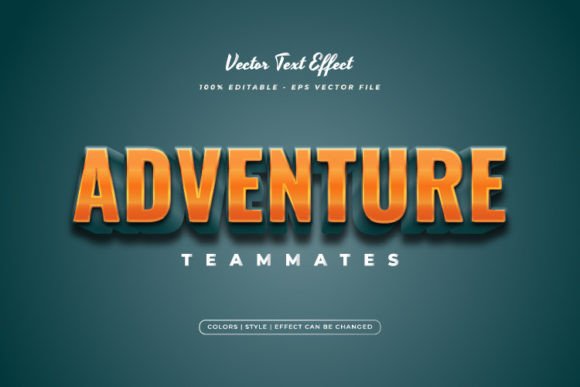
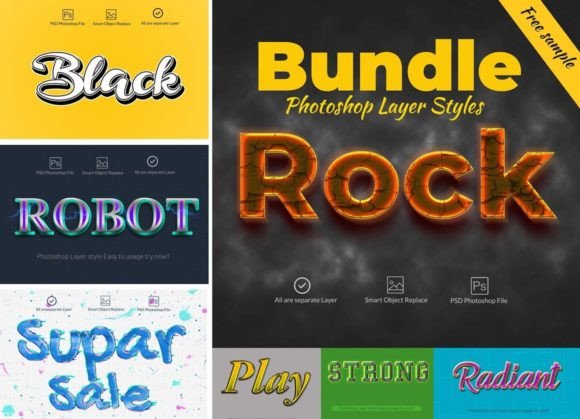
The core appeal of this bundle lies in its sheer variety and ease of use. It includes 14 meticulously crafted PSD files, each offering a distinct style: 3D, watercolor, fire, robot, pencil, glow, neon, graffiti, gold, and more. These aren't static images; they are fully editable layer styles. Using Photoshop's Smart Objects, you simply double-click, replace the placeholder text with your own, and the effect applies perfectly. This "no skill required" approach is revolutionary for non-designers. You can match these styles to any product or project, creating an unlimited number of unique designs. The bundle comes with a money-back guarantee on its 100% quality, ensuring you're investing in reliable design assets.
Think about the practical applications. For a local bakery, the watercolor style could make menu headers feel artisanal and inviting. A tech startup might use the robot or glow style for a futuristic app interface. The graffiti style is perfect for a youth-oriented event poster, while gold adds instant luxury to a wedding invitation or a high-end product label. The neon style can make a social media sale announcement pop right off the screen. This versatility makes it a cornerstone for logo design, packaging, web design, and print materials like flyers, business cards, and posters. It's also invaluable for digital products, presentations in After Effects, and even video game assets or wallpapers.
Integrating Styles into Your Brand and Workflow
For anyone building a brand, visual consistency is key. This bundle helps establish a recognizable aesthetic across all touchpoints. Choose a style that aligns with your brand's personality—be it the ruggedness of fire or the elegance of gold—and apply it to your website headings, social media banners, and email graphics. This creates a cohesive look that strengthens brand recognition. The included files are structured for efficiency: all layers are editable, and a decoration file with lens effects is provided. Fonts used are from Google Fonts, with download links included, so you can maintain typographic consistency even beyond the Photoshop file.
From a workflow perspective, this is a massive time-saver. Instead of spending hours experimenting with bevels, strokes, and gradients, you apply a proven style with one click. This is perfect for marketing professionals and content creators who need to produce high volumes of on-brand graphics quickly. The styles are optimized for both web and print, ensuring your designs look sharp on a mobile screen and in a large-format poster. The compatibility with Photoshop CS2 through CC+ means you can integrate it into your existing setup, whether you're using an older version or the latest Creative Cloud.
Smart Design Choices for Maximum Impact
While the bundle provides incredible creative freedom, thoughtful application is what separates good design from great. Here’s how to get the most out of it:
- Match the Style to Your Message: A pencil sketch style conveys creativity and a personal touch, ideal for a blog or an indie book cover. A sleek 3D effect communicates modernity and professionalism, perfect for corporate presentations or tech logos. Let the visual effect support the story you're telling.
- Consider Readability: Some highly decorative styles like graffiti or intricate fire effects are best for headlines or short, impactful text. For body copy or longer passages, pair these display styles with a clean, readable sans serif font to maintain clarity. The bundle's use of Google Fonts makes finding a complementary pairing straightforward.
- Test and Iterate: Don't just apply and go. Experiment with the color overlays, scale, and blending options within the PSD file. See how the neon glow looks against a dark versus a light background. Adjust the watercolor texture to be more subtle for a delicate project. The editable nature of the files encourages this kind of creative exploration.
This Photoshop Layer Styles Bundle is more than just a set of effects; it's a bridge between your ideas and professional execution. It empowers you to create visually stunning social media graphics, compelling movie posters, distinctive business cards, and engaging digital content without needing advanced technical skills. By providing a foundation of high-quality, editable styles, it allows you to focus on your message and your audience, secure in the knowledge that the visual presentation will be sharp, modern, and effective. For the entrepreneur, the marketer, or the hobbyist, it’s a practical investment in elevating your visual communication. The included help files and font links ensure you can start creating immediately, turning any text or shape into a work of art.