Command Attention: The Power of 3D Bold Adventure Text Styles
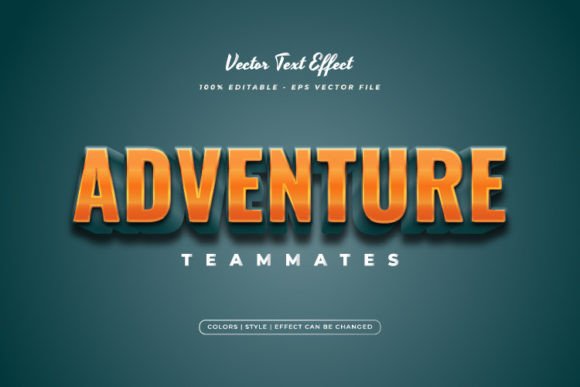
Every designer knows the struggle of staring at a blank canvas, trying to figure out how to make a specific headline pop without spending hours tweaking layer styles and blending options. Sometimes you need that immediate sense of depth and excitement—the kind that pulls a viewer in before they’ve even read the full sentence. That is exactly where a high-quality 3D Bold Adventure Text Style Effect comes into play. It isn't just about adding a drop shadow; it is about creating a tactile, visual experience that suggests action, durability, and high energy. Whether you are crafting a header for a gaming channel, designing a logo for an outdoor brand, or creating merchandise for a summer camp, the visual weight of your typography dictates how your message is received. You need something that feels substantial, something that bridges the gap between flat digital design and the immersive world of 3D graphics.
Why "Style Effects" Are a Game-Changer for Modern Workflows
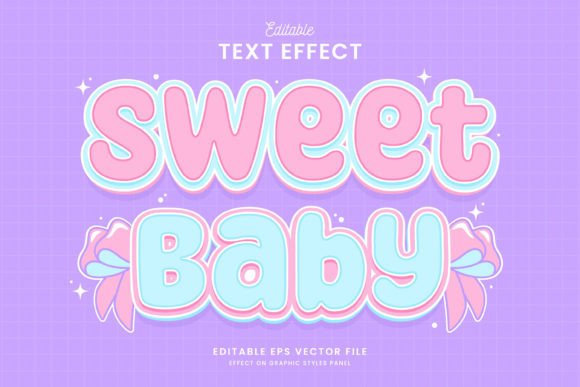
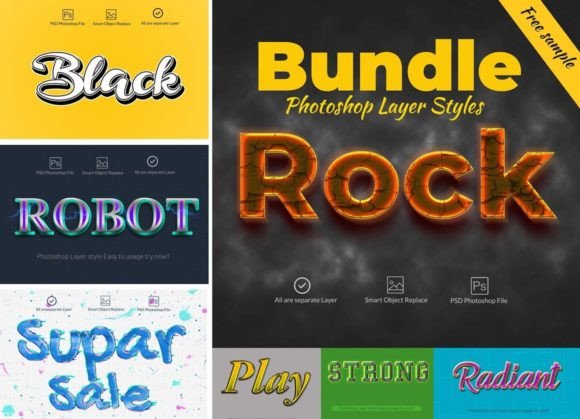
There is often confusion in the market between a typeface (the actual shape of the letters) and a text style effect (the visual treatment applied to those letters). Understanding this distinction is crucial for any creative professional. A 3D Bold Adventure Text Style Effect is essentially a design asset—a pre-configured set of layer styles and smart objects that instantly transforms standard flat text into a complex, three-dimensional object. The beauty of this approach is total flexibility. You are not locked into a specific font family that might not match the rest of your brand identity. Instead, you can take your favorite sans serif font or display font and apply this effect to it.
This workflow is a lifesaver for small business owners and content creators who need professional results fast. Instead of spending an hour learning the nuances of bevels, embossing, and texture overlays in Adobe Illustrator, you simply click and apply. The result is a consistent, high-fidelity 3D look that maintains its integrity across different mediums. It takes the guesswork out of modern typography and allows you to focus on the message rather than the technical execution of the gradient map.
Visual Storytelling: Capturing the "Adventure" Vibe
The specific aesthetic of a "Bold Adventure" style evokes a particular set of emotions. It suggests ruggedness, excitement, and a journey. Think about the movie posters for action films, the packaging for high-performance outdoor gear, or the titling for a travel vlog. This visual language relies heavily on depth and texture. By utilizing this text effect, you are tapping into a psychological shorthand that tells your audience, "Something exciting is happening here."
For branding and logo design, this can be incredibly effective. If you are launching a brand that deals with hiking equipment, extreme sports, or even children’s toys, a flat, minimalist logo might not convey the right energy. Applying a 3D effect gives the logo a tangible quality. It looks like something you could touch. However, the key to success here is moderation. A 3D Bold Adventure Text Style Effect works best for headlines, hero sections, and logos. Using it for body copy would be a disaster for readability, but for that one critical call-to-action or main header, it is unmatched in its ability to draw the eye.
Practical Applications: From Screen to Print
The versatility of an editable style effect lies in its adaptability across different design assets. Because these files are typically delivered in EPS and JPG formats, they bridge the gap between digital and physical production.
1. Social Media and Web Design:
On platforms like Instagram or YouTube, you have roughly two seconds to stop a user from scrolling. A standard text overlay often gets lost in the noise of a busy feed. A 3D text effect creates a shadow and highlight structure that disrupts the flatness of the screen, creating a "thumb-stopping" moment. It adds a level of polish to social media graphics that suggests a larger production budget and a more established brand identity.
2. Packaging and Merchandise:
When designing for physical products—like t-shirt graphics, tote bags, or product boxes—dimension is your friend. A flat design can sometimes look cheap or washed out when printed on fabric or cardboard. A bold 3D style ensures that the text stands out from the background material. It helps in creating merchandise that feels premium and retail-ready.
3. Editorial and Digital Products:
If you are creating a digital planner, an e-book cover, or a magazine layout, headers need to be distinct to guide the reader's eye through the hierarchy of information. This style works exceptionally well for chapter headings or feature titles in editorial design, providing a clear break from the body text without needing complex illustrations.
Technical Flexibility: 100% Editable for Total Control
One of the biggest frustrations with pre-made design assets is the inability to customize them. A common mistake is purchasing a font effect only to realize the color palette clashes with your brand guidelines. The "100% Editable" nature of this specific asset solves that problem entirely. You have the freedom to change the words, fonts, size, and the effect itself.
This level of customization is vital for font pairing. You might want to pair a rugged 3D adventure header with a clean, minimalist serif font or sans serif font for the body text to ensure readability. By being able to swap out the underlying typeface, you can experiment with different combinations until you find the perfect balance between "loud" and "legible." It allows the effect to serve the typography, rather than the typography serving the effect.
Best Practices for Implementation
To get the most out of this premium font effect, it helps to follow a few design principles. First, consider the background. A 3D effect with shadows and highlights needs contrast. If you place it on a busy, noisy background, the text might become difficult to read. Use a solid color or a blurred image behind the text to let the 3D effect breathe.
Second, think about scale. These effects are designed to be seen. If you shrink a complex 3D style down to 10pt size for a footer note, it will likely become a muddy blob. Use it for headers, sub-headers, and logos where the size allows the details of the bevel and texture to shine. This is essential for maintaining professional presentation.
Finally, always test your designs in the context they will be seen. If you are designing a web design header, view it on both a desktop monitor and a mobile phone. If you are designing a poster, print a small proof to ensure the depth translates to ink. This attention to detail separates amateur work from professional creative font usage.
Streamlining Your Creative Process
For entrepreneurs and marketers, time is a resource just as valuable as money. The goal is to produce high-quality visual content that converts—whether that conversion is a sale, a click, or a follow. Having a library of reliable, easy-to-edit text effects in your toolkit drastically reduces production time. You don't need to be a master of Adobe Illustrator’s 3D tools to achieve 3D results. You simply need the right asset.
This 3D Bold Adventure Text Style Effect serves as a shortcut to high-impact visuals. It allows you to rapidly prototype different looks for a campaign. You can test how a bold, adventurous header looks with your product photography, and if it doesn't fit, you haven't lost hours of work—just a few minutes of clicking and changing text. It empowers you to be more experimental with your packaging design and marketing assets without the fear of technical bottlenecks.
In the end, design is about communication. When you use a text style that commands attention and conveys a specific mood, you are speaking the language of your audience before they even read your copy. It is a tool that helps bridge the gap between your idea and the visual reality of your brand, ensuring that your message isn't just seen, but felt.